

Introduction: The Form as a Critical Conversion Point
The online form is often the final, most critical barrier between a highly engaged website visitor and a qualified lead. Form abandonment rates are notoriously high, often exceeding 50%, meaning poor form design is actively sabotaging your lead capture efforts. To create high-converting websites, designers and marketers must apply rigorous User Experience (UX) best practices to every field and interaction, making the process of submitting information as effortless and intuitive as possible.
Principle 1: Minimize Friction with Layout and Length
The user’s perceived effort is the biggest factor in form abandonment. Design choices must prioritize speed and clarity.
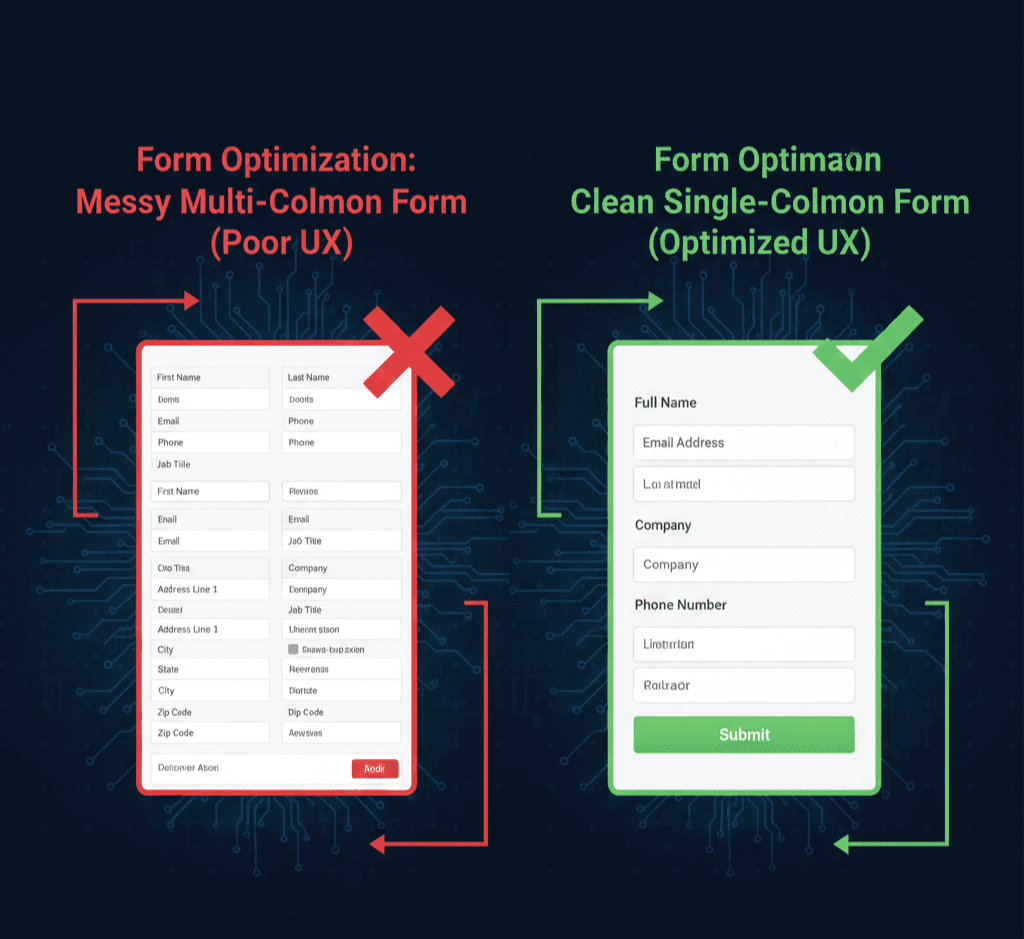
- Single-Column Layout: Always use a single-column structure. Scanning a vertical column is faster and easier than navigating multiple horizontal fields, especially on mobile devices.
- Logical Grouping: Break long forms (e.g., job applications) into multiple, small steps or logical sections (e.g., “Step 1: Contact Info,” “Step 2: Experience”). This reduces cognitive load.
- The Power of Short Forms:Only ask for essential information. If you only need an email to deliver a resource, don’t ask for a phone number or company size. Every unnecessary field decreases conversions.
Principle 2: Clear, Accessible Labeling and Instructions
Users should never have to guess what information is required or why.
- Top-Aligned Labels: Place field labels above the input box, as this placement requires minimal eye movement and provides quick visual anchoring compared to inline or left-aligned labels.
- Avoid Placeholder Text as Labels: Placeholder text disappears when the user starts typing, making it impossible for them to review their input or remember what the field was for.
- Help Text: Use small, subtle help text below the label for complex fields (e.g., “We need your phone number to confirm your identity, not for sales calls.”).
Quote: “A form should feel like a guided conversation, not an interrogation. Every interaction must be intentional and frictionless.”
Principle 3: Real-Time Validation and Error Handling
Users hate filling out an entire form only to be rejected at the end. Effective forms provide instant feedback.
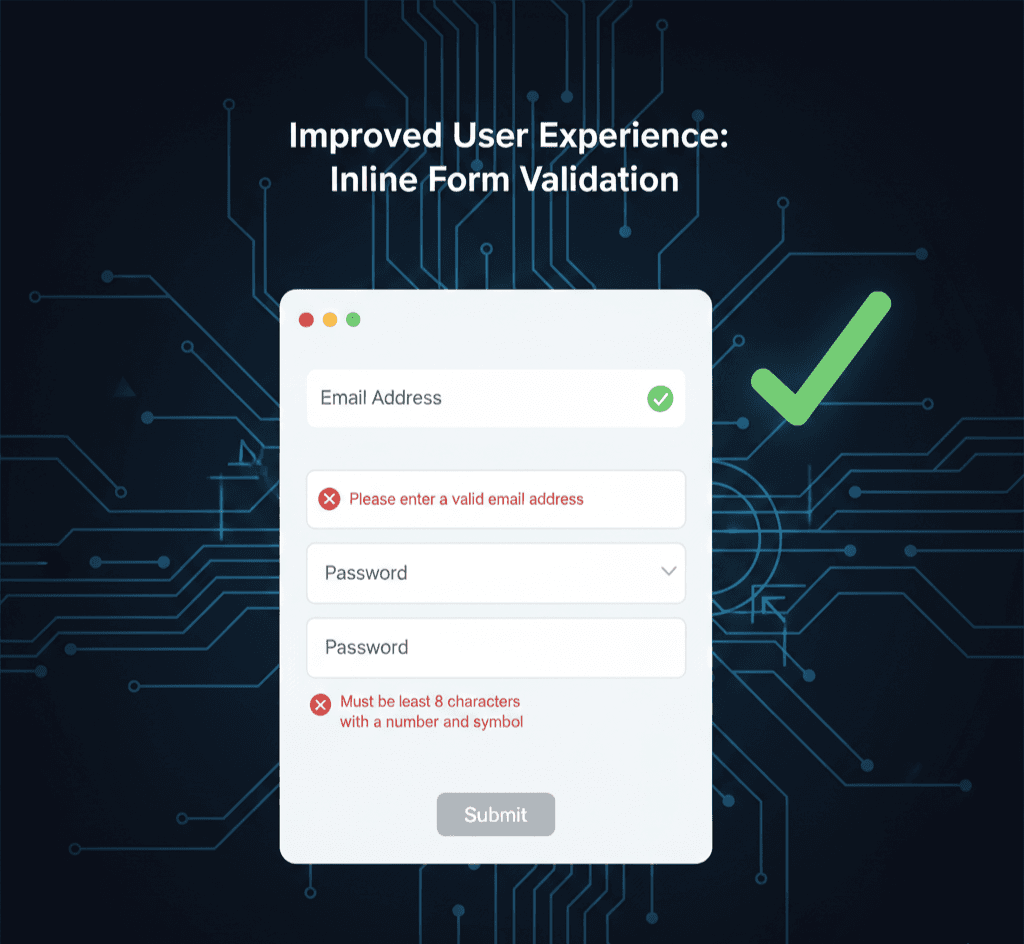
- Inline Validation: Provide positive (e.g., a green checkmark) or negative (e.g., a red X) feedback immediately after the user exits the field, not after submission. This allows for instant correction.
- Clear Error Messaging: Error messages should be explicit, courteous, and visible. Instead of “Invalid Input,” say “Please enter a valid email address, e.g., name@company.com.”
- Strong CTAs: The submission button (Call-to-Action) should be highly visible, use contrasting colors, and clearly state the value of clicking it (e.g., “Get My Free Guide,” not just “Submit”).
Conclusion: The Path to Better Lead Capture
Form design is a measurable science focused entirely on removing barriers. By meticulously applying UX best practices—minimizing fields, simplifying layout, ensuring clear labeling, and providing real-time validation—you transform a potential point of friction into a seamless pathway. The result is a significant boost in your conversion rates, ensuring your high-traffic website is optimally designed for efficient lead capture.







Leave a comment